Project · AI product photography
Studio-Grade AI Product Photography Pipeline
A few phone photos of a garment go in. A full set of studio-grade shots comes out — flat-lays, on-model, detail crops — in minutes, checked against the real product.
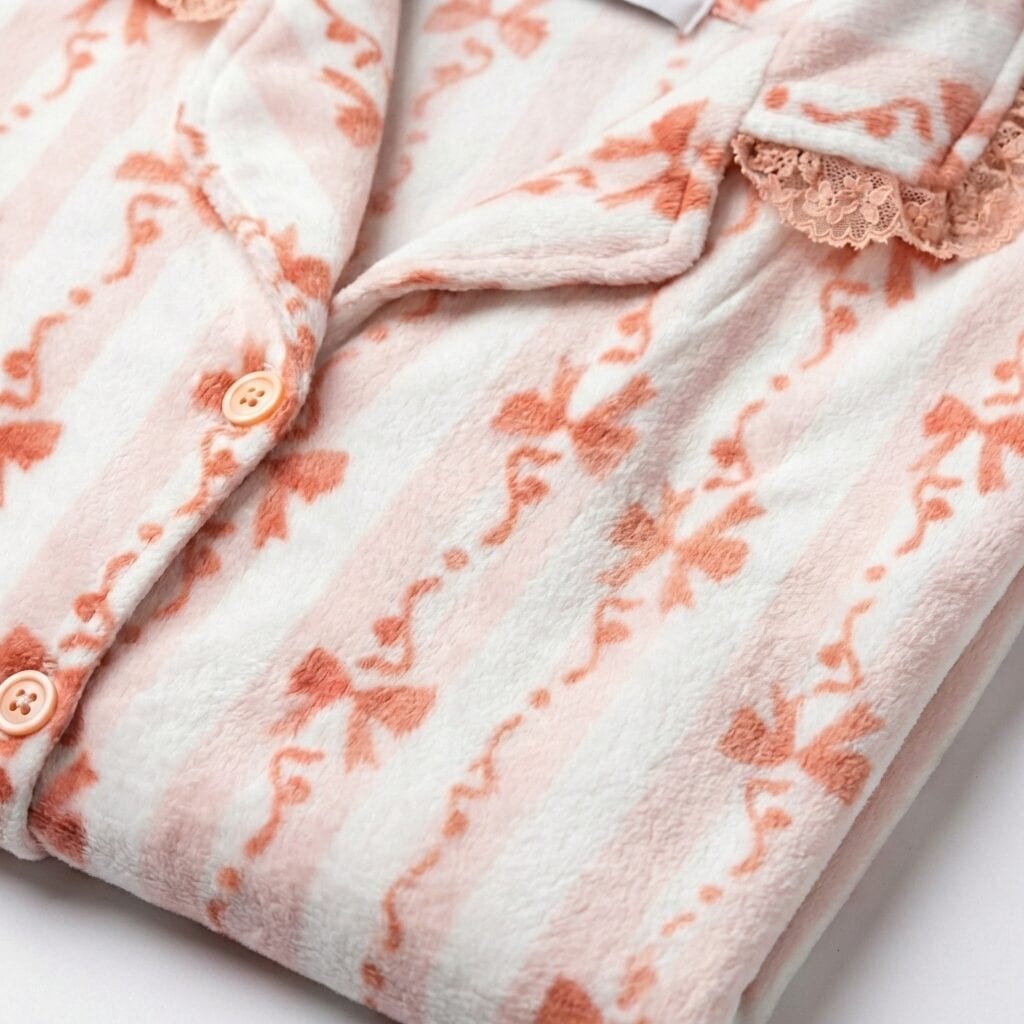
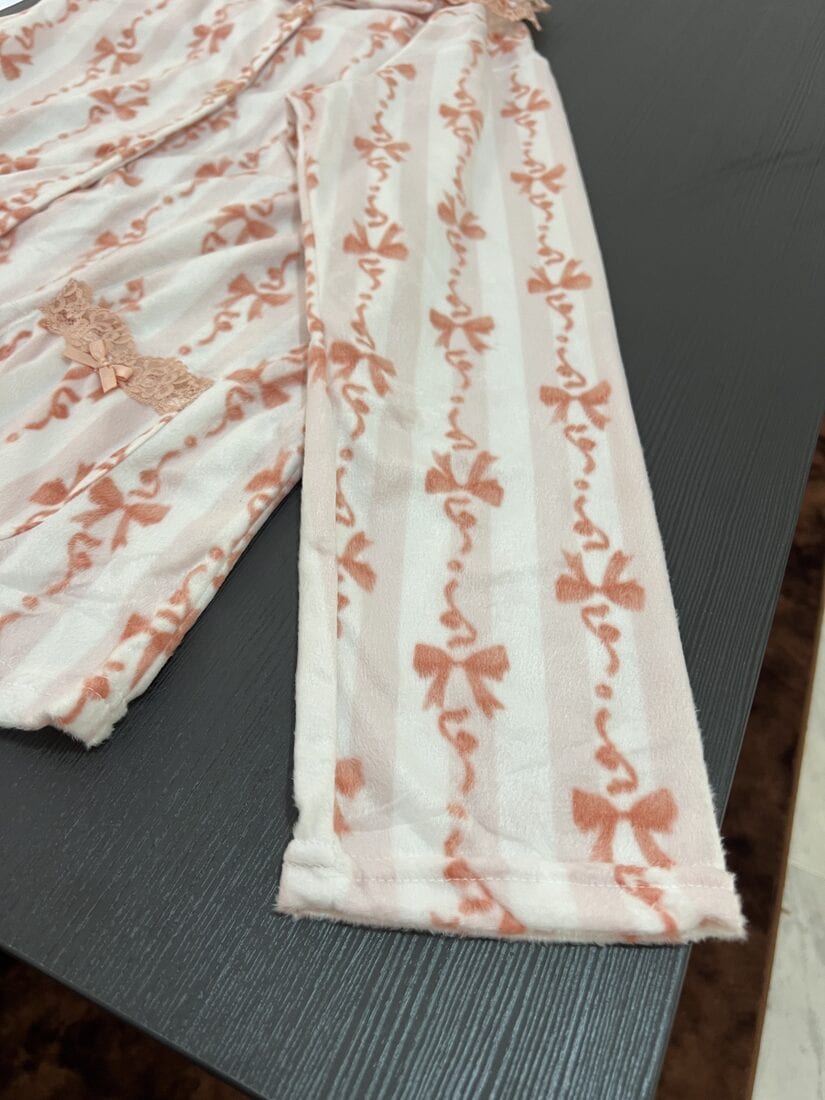 Phone photo Generated
 Drag to compare. Same garment — one a phone photo, one generated.
The pipeline, end to end.
Seven composable steps. Photos go in; a set of studio shots that's been checked against the real product comes out. The spec drives two generators that run in parallel, an optional branch handles posing, and a validation loop refuses to ship anything that doesn't match.
optional pose branch — feeds the try-on
the spec drives two generators that run in parallel
every generated shot is scored against the real product
↺ loops until pattern, colour & build all pass
↓ only a passing shot ships
How every node works.
Each step is its own small tool with a clean input and output, so the pipeline is built from parts you can run, swap, or rerun on their own.
-
Read the garment
A vision model studies every phone photo at once and writes a full technical spec of the garment — fabric and drape, cut, pattern, hardware, trim, and a colour palette in proper fashion terms. That spec, not the photos, is what every later step generates against.
A few phone photos ~600-word garment spec- Technique
- Multi-image synthesis. Close-ups carry texture, stitching and hardware; full-length frames carry silhouette and drape — the model fuses them into one description.
- The thinking
- Generators drift when they work straight from pixels. Turning the product into precise words first gives every downstream shot a single source of truth to match, so a button stays a button and blush pink stays blush pink.
Extracted specCategory 2-piece long setMaterial Plush, velvet-like fleecePattern White & blush stripes, coral bowsDetails Notched lapel, lace trim, patch pockets -
Extract the pose
An optional branch. Point it at any model photo and it writes a purely anatomical description of the pose — stance, spine, every joint angle — precise enough to rebuild from the text alone.
A model photo An anatomical pose spec- Technique
- Identity-stripped extraction. It describes only body mechanics in anatomical terms — abduction, flexion, rotation — and is explicitly barred from naming skin, face, clothing or background.
- The thinking
- Separating pose from identity turns poses into reusable text. Extract once, build a library, and apply the same pose to any model later — without re-shooting, and without carrying over who was in the original frame.
Pose spec · identity-freeStance Seated, weight through pelvisSpine Upright, slight left rotationRight arm Elbow ~50°, hand to clavicleLegs Loose cross-legged -
Generate the flat-lay set
From the spec plus the raw photos, it shoots the flat-lays a store actually needs: a clean retail fold, a relaxed styling layout, and a macro crop for fabric and stitch.
Spec + raw photos 3 studio flat-lays- Technique
- Multi-source, fabric-aware prompting. The text fixes how the material behaves — silk ripples, fleece bulks, cotton creases — while the photos lock the exact pattern scale, piping colour and button count.
- The thinking
- Feeding both the words and the originals is what stops hallucination. The three shots aren't decoration — they map to three moments for a buyer: the listing thumbnail, the styled scroll, and the zoom-in fabric check.
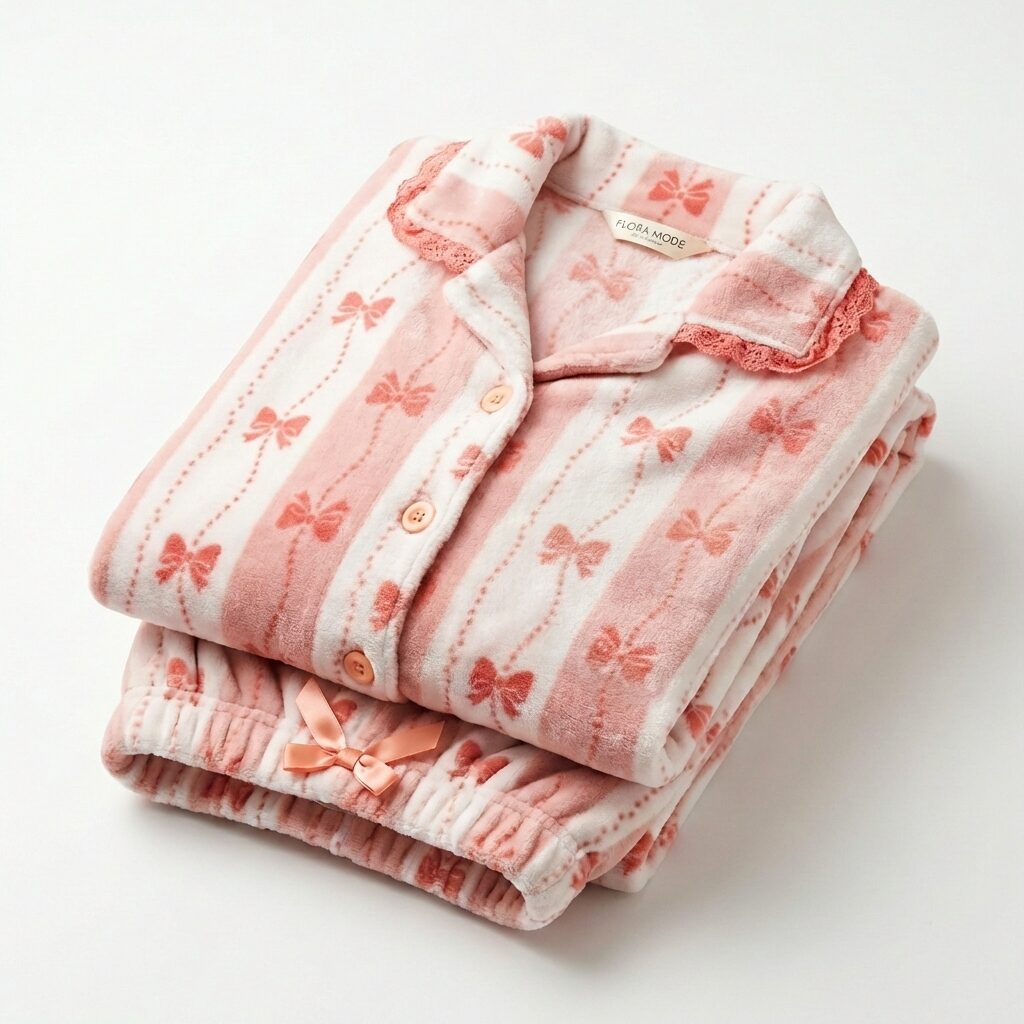
Retail fold 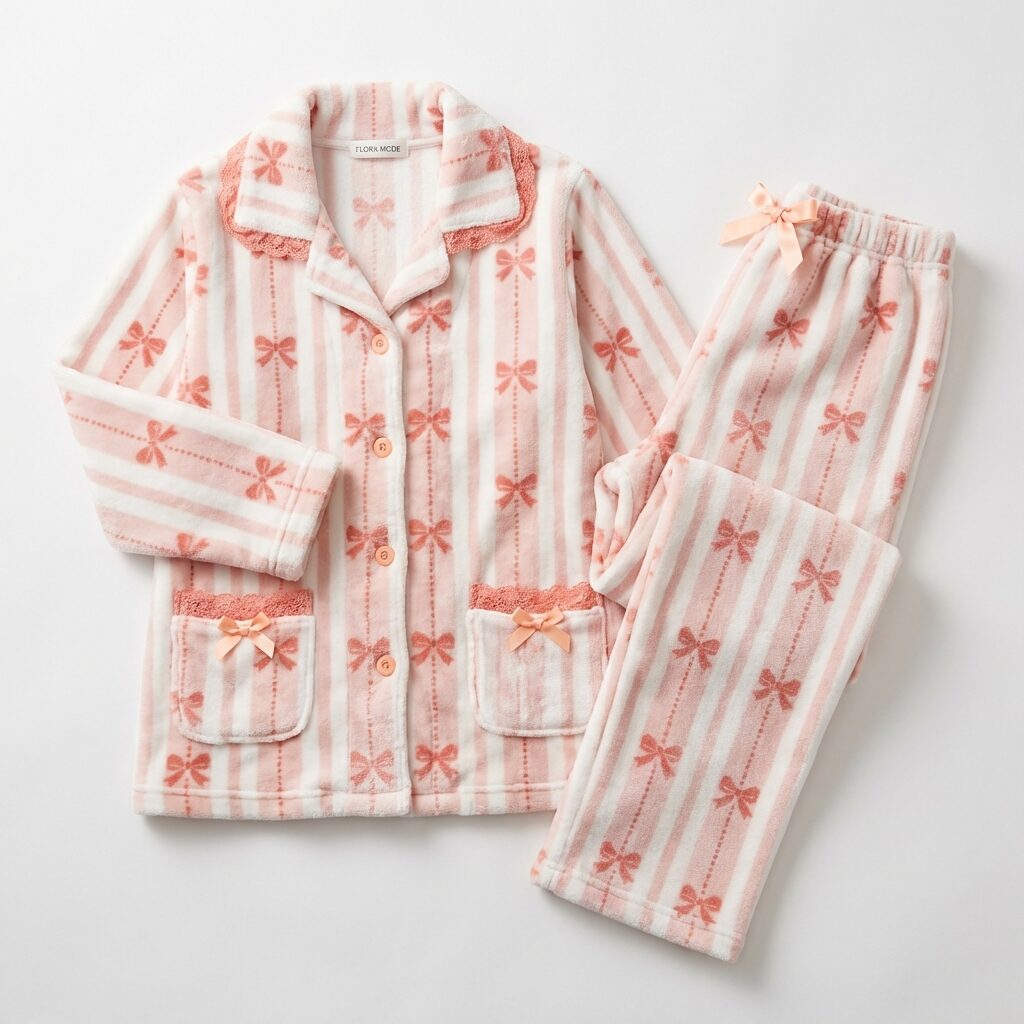
Relaxed 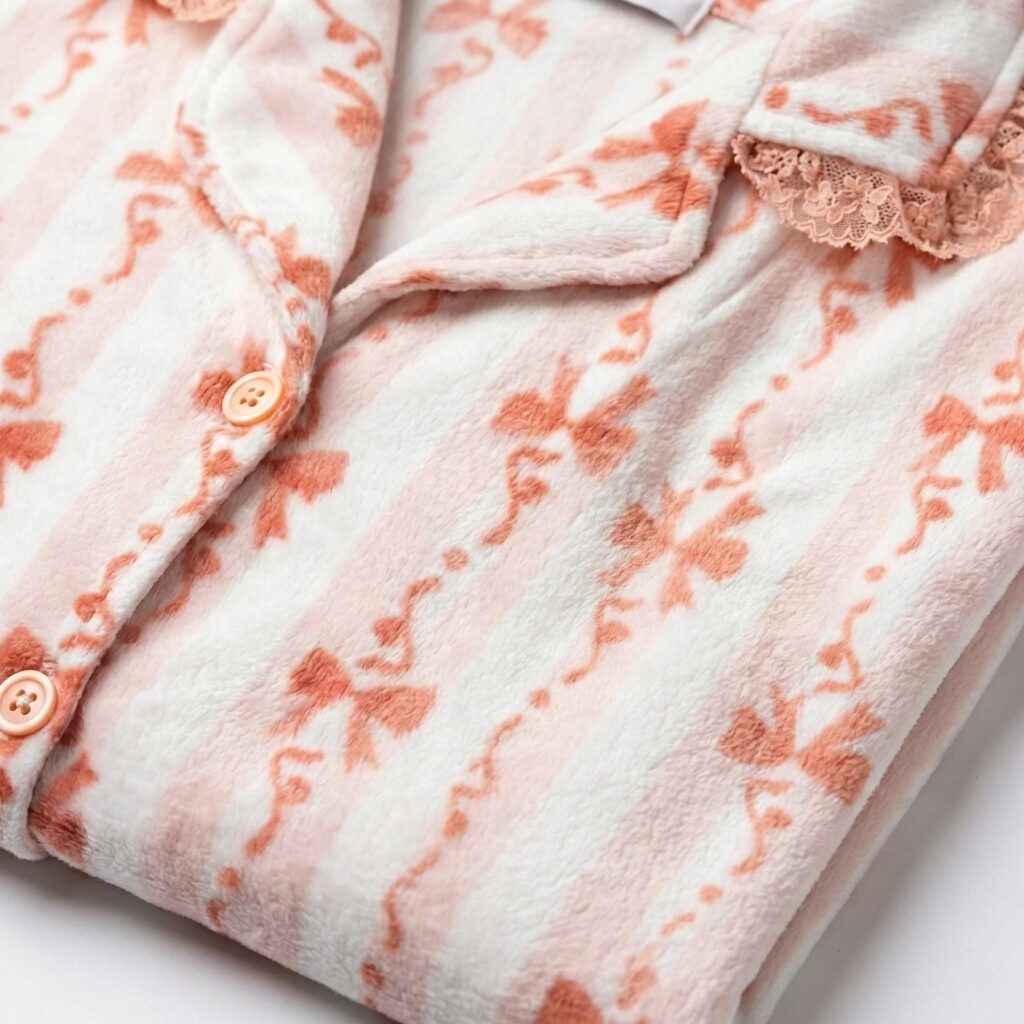
Texture -
Put a model in a pose
The other half of the pose branch. Hand it a model and a pose spec and it regenerates that same model performing the pose, keeping their face, build and hair intact.
Model + pose spec A posed model- Technique
- Identity-locked pose transfer. The prompt pins facial features, body type and hair to the reference while the body executes the described pose exactly.
- The thinking
- With poses stored as text, one model can be re-posed consistently across a whole catalogue — the same look, shot after shot, without booking the studio again.
Held vs. changedKept Face, body type, hairKept Skin tone, identityChanged Pose, from the spec -
Try it on a model
The virtual try-on. Given the model, the product photos and the spec, it dresses the model in the garment at studio quality — keeping the model's own pose, or taking a pose from the branch above.
Model + product + spec An on-model shot- Technique
- Geometric lock. The body outline, limb thickness and the negative space between limbs are matched pixel-for-pixel; only the clothing is generated, draped with real tension and fold at the joints.
- The thinking
- Try-on usually distorts the body — garments swim or skin bulges. Anchoring the silhouette and changing only the fabric keeps the person real and the fit believable.
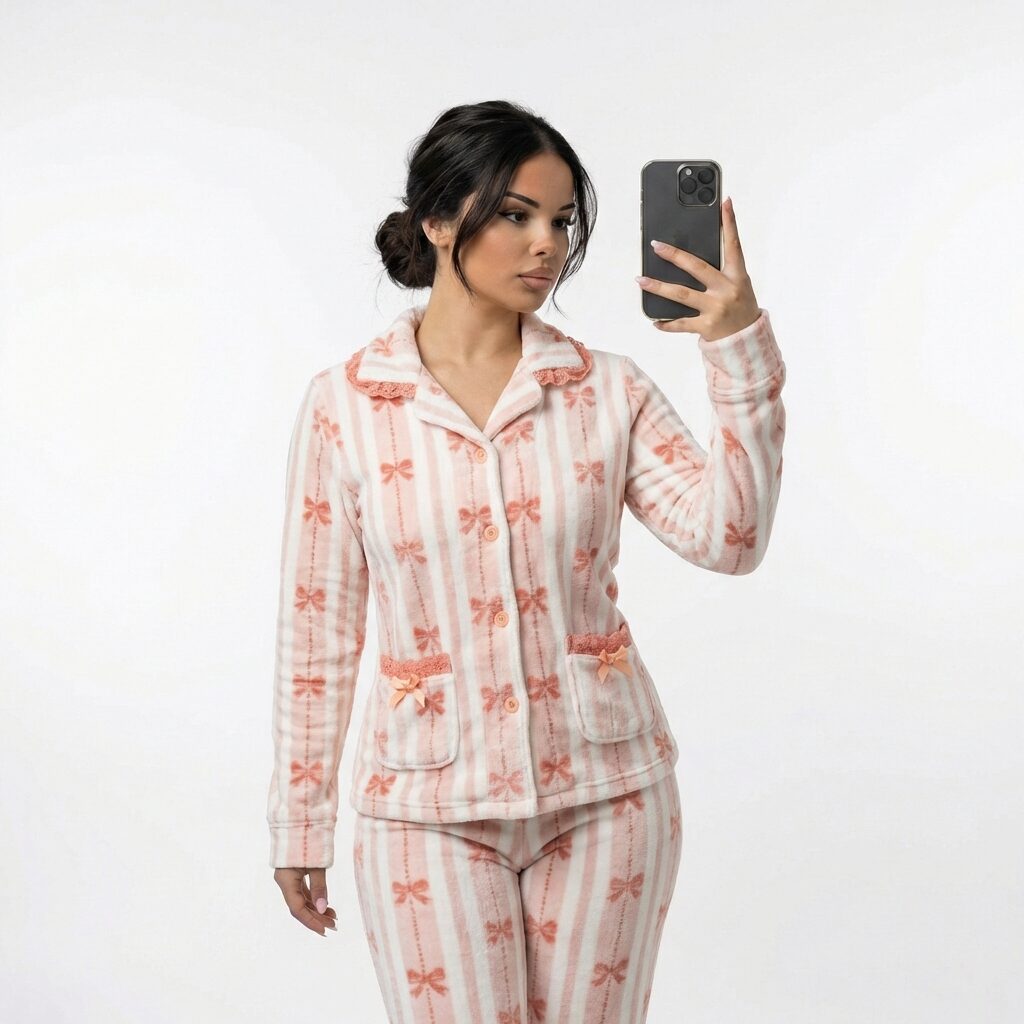
On-model — body locked, only the clothing generated -
Score it against the real product
Before anything ships, a second model grades each generated shot against the original photos and the spec — scoring three things out of ten and listing the exact problems it sees.
Generated shot + originals Scores + issue list- Technique
- LLM-as-judge. Three orthogonal axes — pattern/print, colour, construction — each with its own pass threshold (8.5 / 8.5 / 7.0) and specific, factual issues rather than vague notes.
- The thinking
- A shot can look professional and still be wrong. Splitting the verdict into three axes means a failure tells you which kind of fix it needs — and the structured output lets the next step act on it without a human reading it.
Validation · scored vs. originalPattern / print 10/ pass 8.5Colour fidelity 10/ pass 8.5Construction 9/ pass 7.0All three above threshold → ships. Anything below → retouch.
-
Fix only what's off
When a shot fails, the validator's issue list becomes the retouch instruction. The retoucher corrects exactly those problems, and the result goes straight back to be scored again — round and round until it passes.
Shot + issue list A corrected shot- Technique
- Reference-locked, surgical edits. Composition and perspective are held fixed and untouched areas stay pixel-identical; it changes what it's told to and nothing else.
- The thinking
- A broad “make it better” prompt invents new problems. Constraining the edit to the named issues is what makes the loop converge instead of wandering — generate, score, fix, re-score, ship.
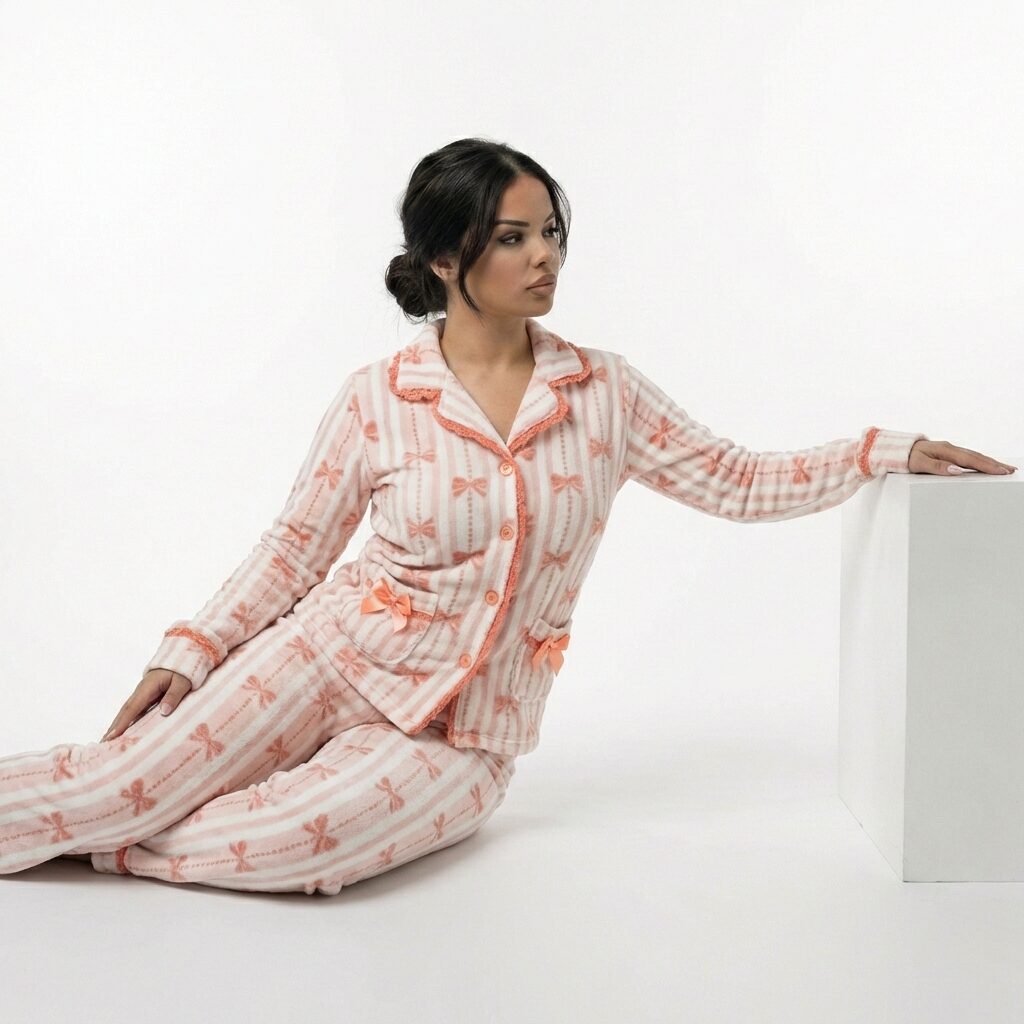
A corrected shot, re-scored against the original
A quality gate that fixes its own mistakes.
The last two steps form a loop. Every generated image is scored against the real product; anything below threshold is sent back with a precise list of what's wrong, retouched, and scored again. Nothing reaches the catalogue until it passes on pattern, colour, and construction — so the pipeline can run unattended without quietly shipping a wrong print or an off colour.
- Generate
- Score
- Fix what failed
- Re-score
- Ship on pass
One product, a full shot list.
From a single set of phone photos: flat-lays, on-model shots, and detail crops — as many variations as the catalog calls for, every one checked against the real product.
Photography stops being the bottleneck.
For a brand with hundreds of items, photography is usually what caps how fast products get online well. This turns it into a same-day step: shoot a product on a phone, get a full on-brand set back, and do it across the whole catalog without booking a studio for each drop. It runs on cents of compute per product, and every image is checked against the real thing before it ships.
A studio day shoots a few products. This shoots the catalog.
Have a catalog to shoot?
Tell me what you sell and how big the catalog is, and I'll come back with what a first batch looks like and what it would take.