Product · Study app on Google Cloud
SkillDags: A Study App an AI Agent Can Write
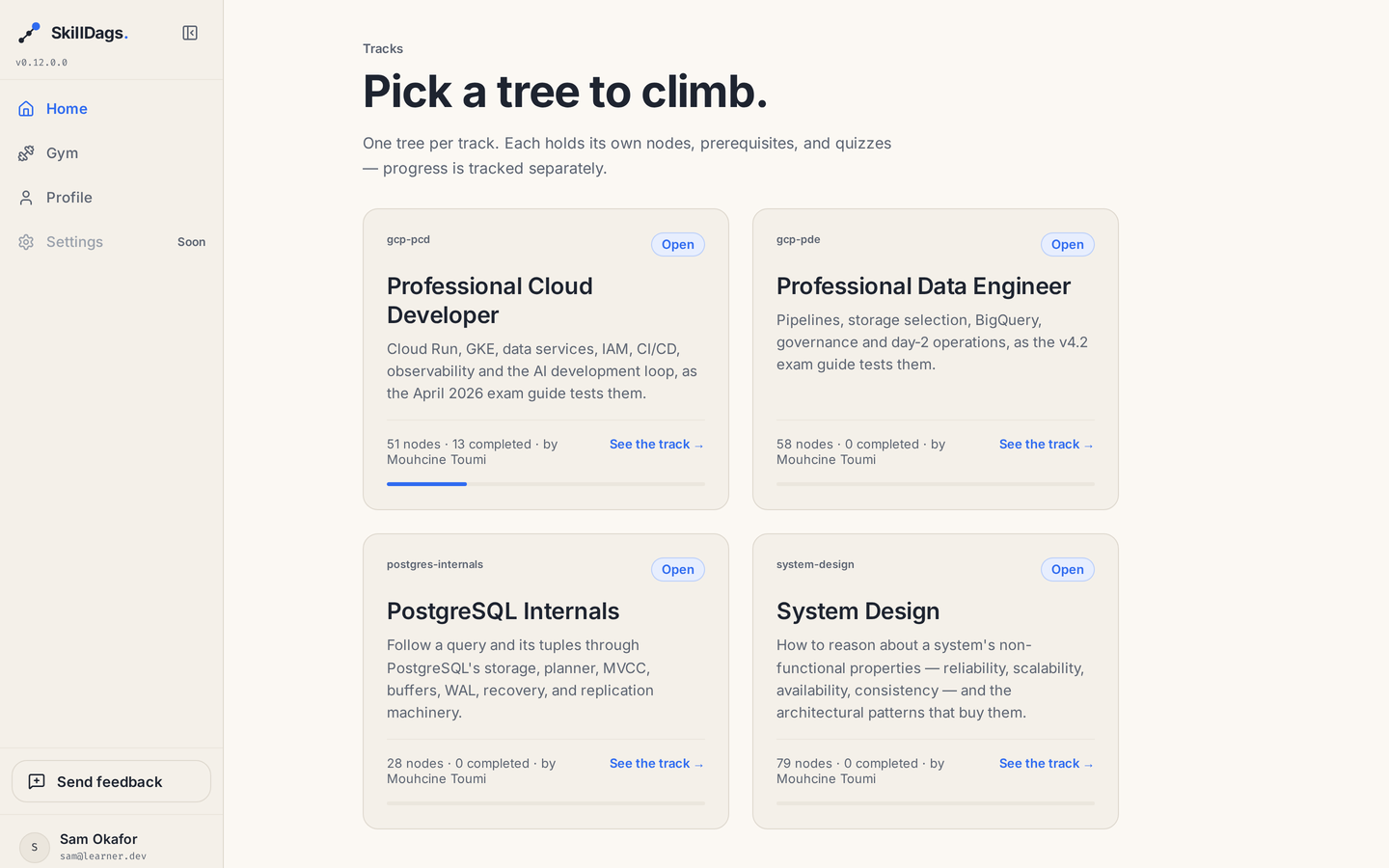
A study app where a subject is a map, not a list. Each module opens once you finish the modules it depends on. Every module has a lesson and an exam-style quiz, plus a practice gym for the questions you got wrong. Four subjects and 216 modules run live on Google Cloud, written by an AI agent instead of typed into a form.

Finish a module and the ones that depend on it open.
The content decides the order.
Every module lists the modules you have to finish first. That one fact draws the map and decides what opens next. It also means a new subject needs no new code. It only needs content that says what comes before what.
- 01 An AI agent writes it24 tools, one key
- 02 The map opens itwhen you are ready
- 03 Read, then answerlesson and quiz
- 04 Practise your misses3 right retires it
- Done
- Open now, because both of those are done
- Still closed, until the one above it is done
The product, the door for AI agents, and the way it ships.
From the map a learner reads, to the tools that let an agent write a course, to the pipeline that puts it in front of people.
- 01
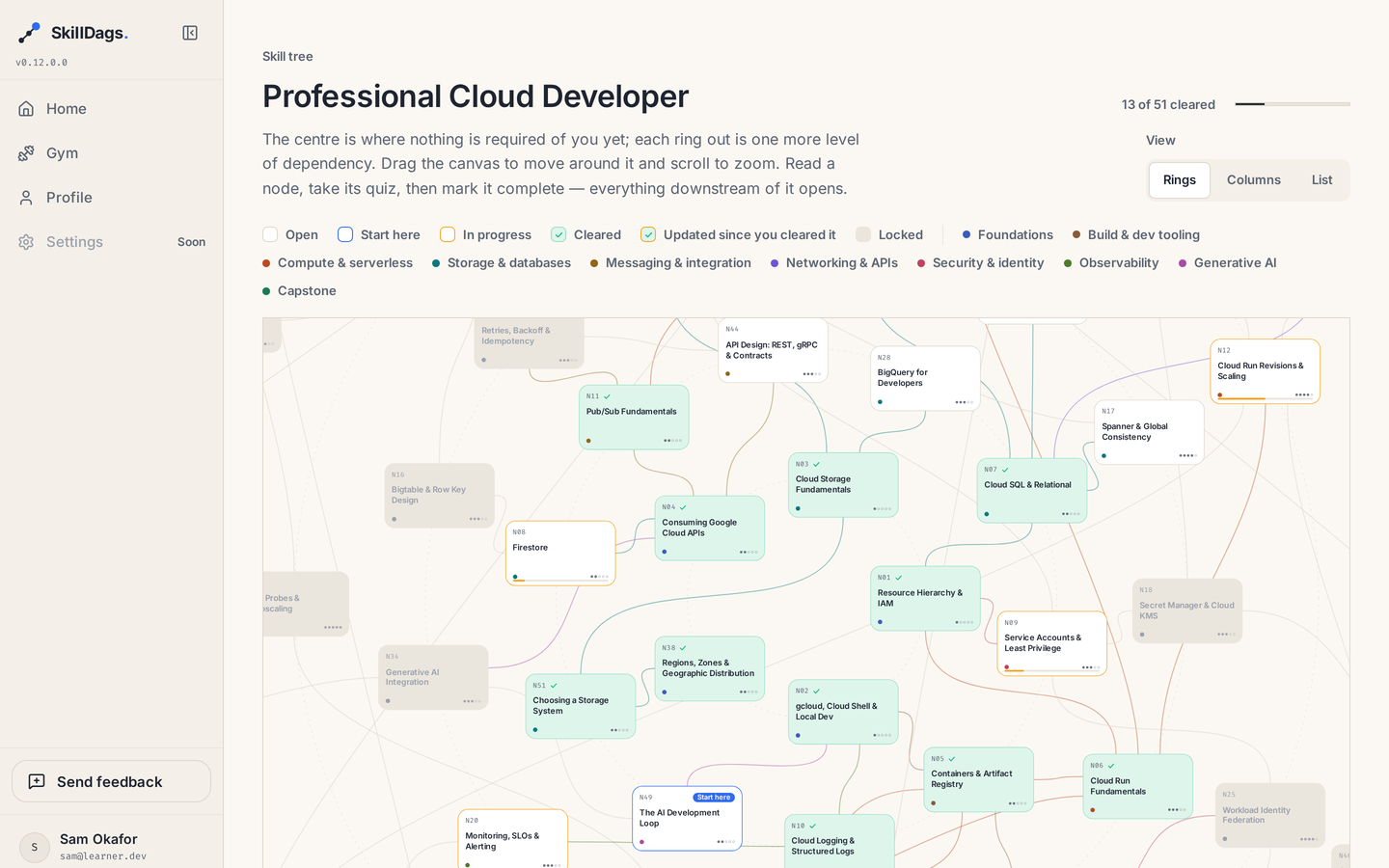
The skill tree. Each module lists the modules you have to finish first, and the app turns that into a map. Modules with nothing before them sit in the middle, and each ring further out needs one more thing done. A module opens the moment you finish what it depends on, so nobody sets the order by hand. The same map can also be read as columns by topic, or as a plain list.
- 02
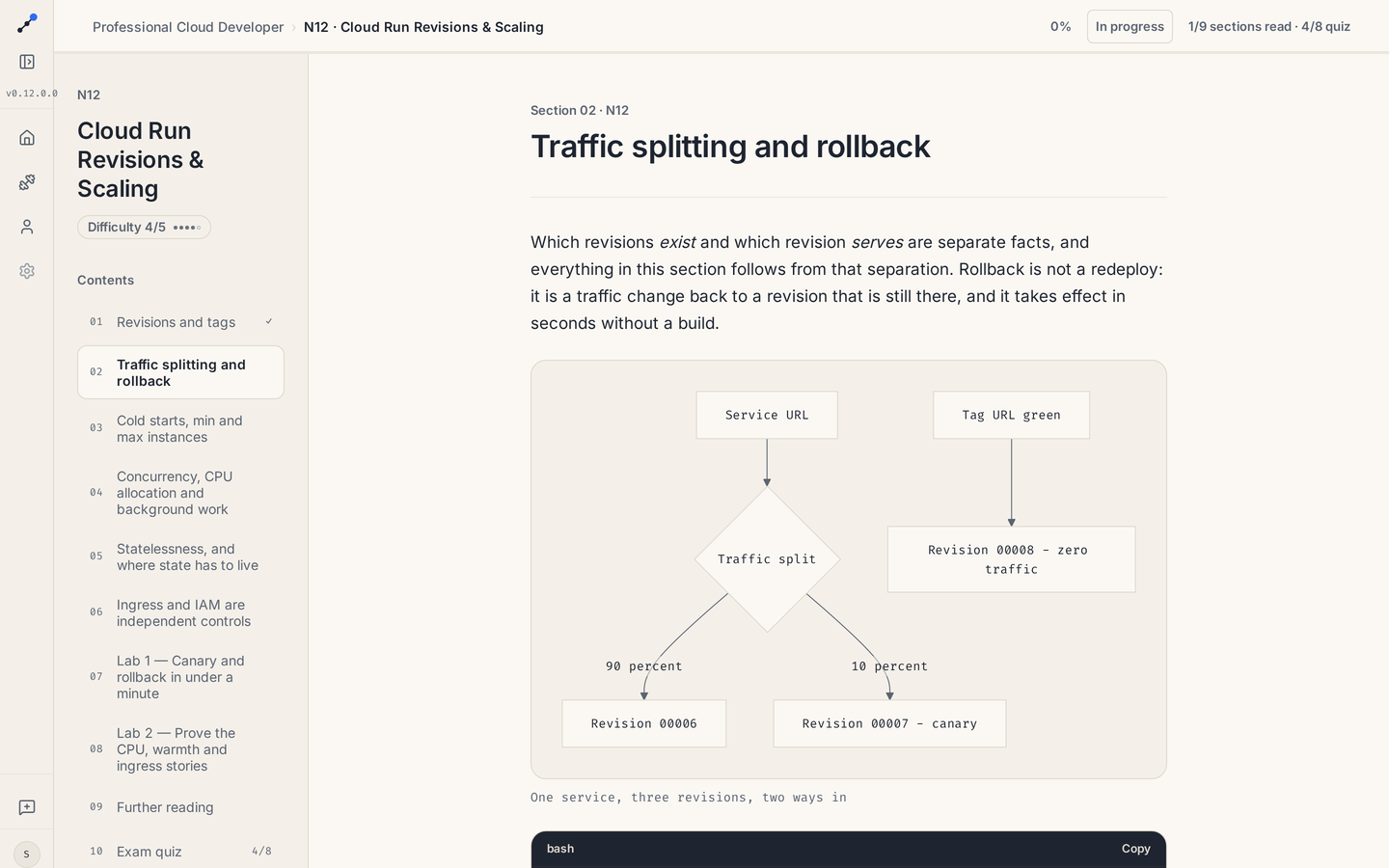
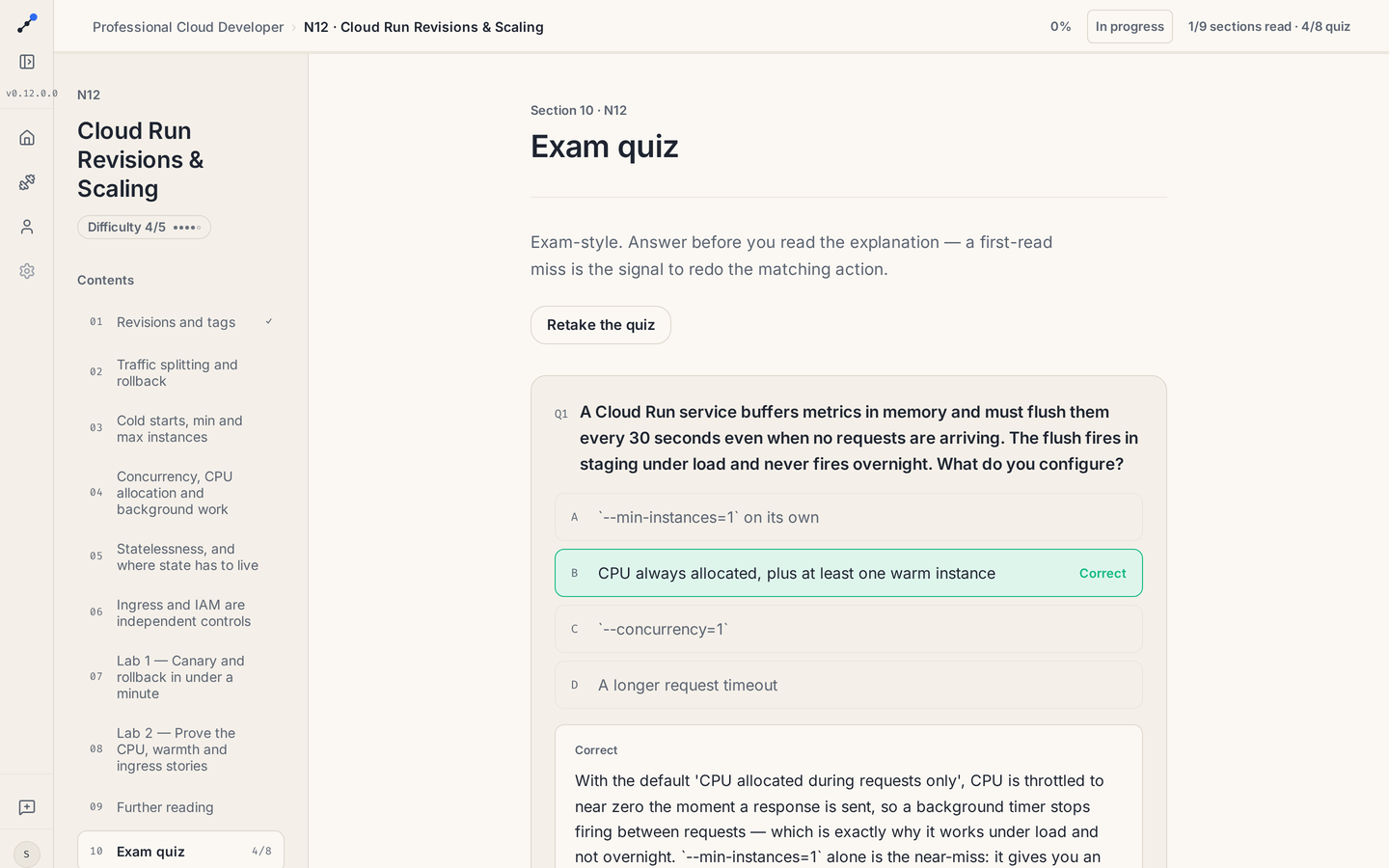
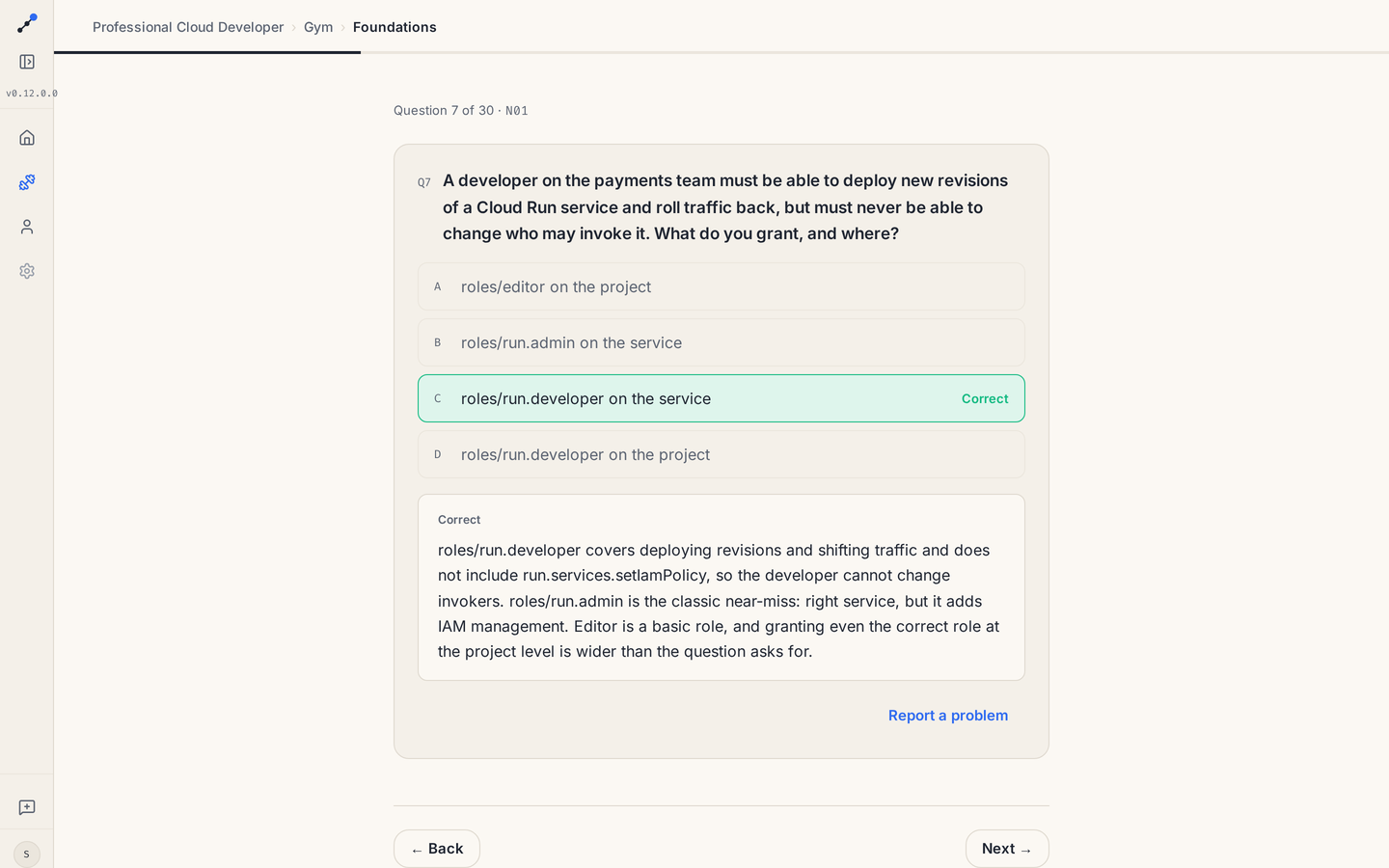
The lesson page. Every module is a written lesson in numbered sections, with tables, commands you can run, and diagrams drawn from the text. Under it sits an exam-style quiz. You commit to an answer first, then it tells you if you were right and explains why.
- 03
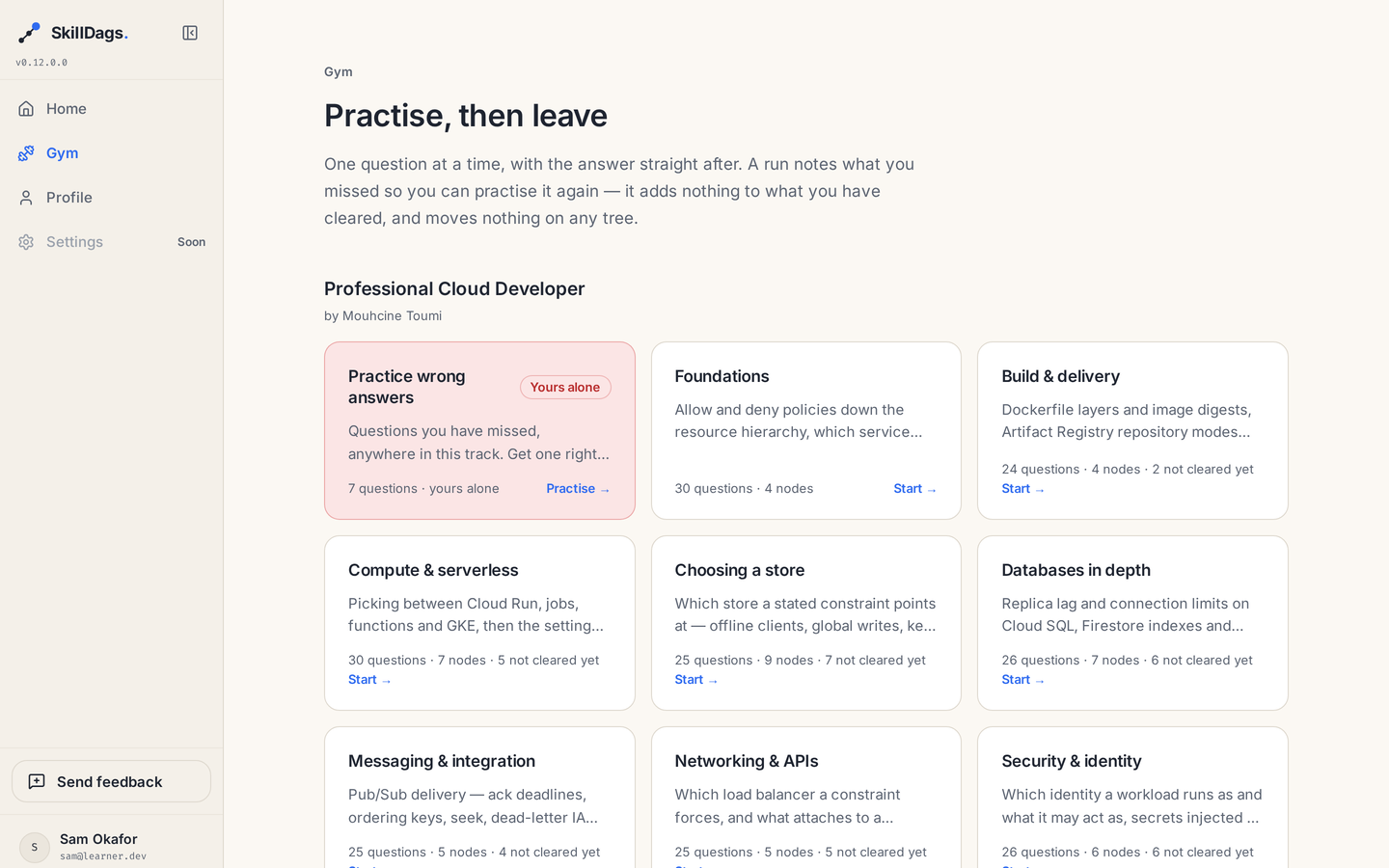
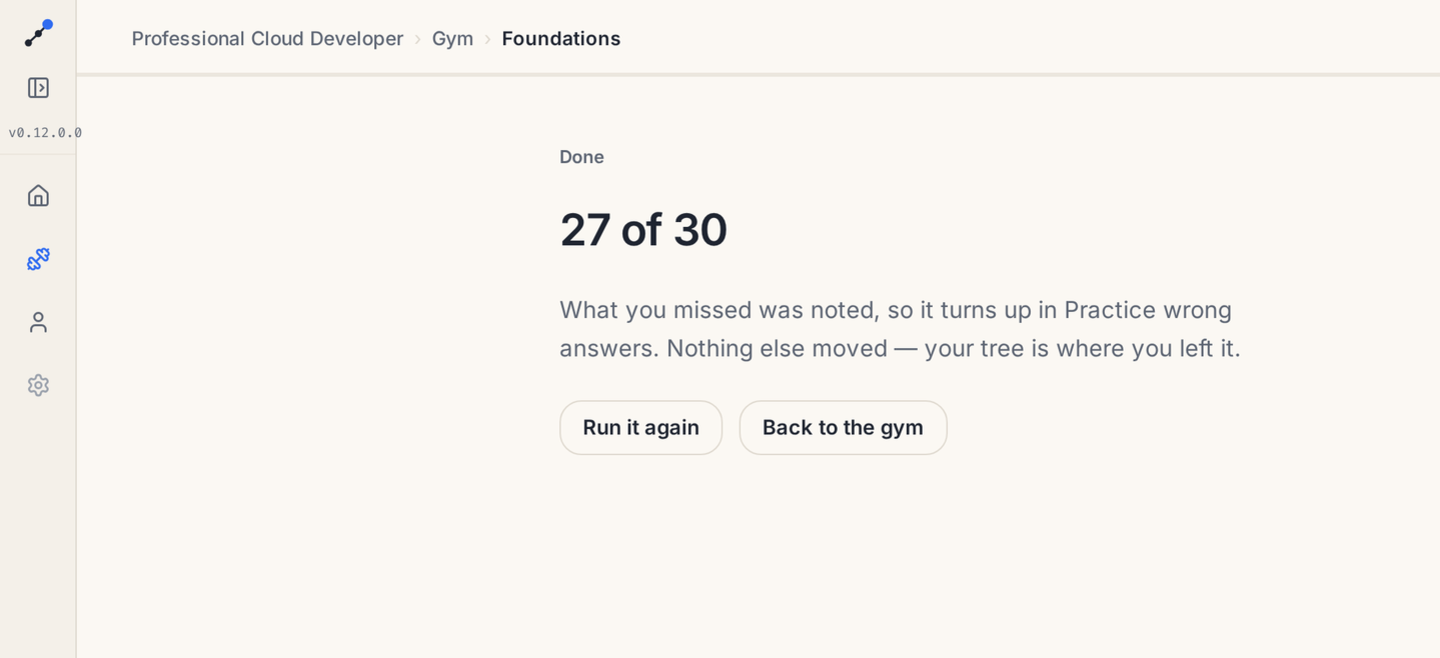
The practice gym. Question sets grouped by topic, plus a queue built only from the questions you got wrong. Get one right three times and it leaves the queue. A practice run records what you missed and nothing else. It never moves your progress on the map, so practice can never be mistaken for real progress.
- 04
A second way in, built for AI agents. There are 24 tools an agent can call to create a subject, write its modules, set which module needs which, and publish. They run the same code the admin screens run, so the rules that keep content correct are written once instead of twice. On the agent's side there is a guide telling it where facts have to come from, what order to build the map in, and which edits would quietly wipe out a learner's saved progress.
- 05
The key that opens that door, and the five limits around it. An agent cannot refresh a login the way a browser can, so it uses an API key. That is the only long-lived password in the system, so I wrote down what has to stay true for it to be safe. Only its fingerprint is stored. The real key is shown once and never again. Every key expires, after 90 days by default and one year at most. A key opens that one door and nothing else. And losing your admin role cancels every key you made.
- 06
The shape of the backend. The rules sit in the middle, and everything else plugs into them: the web API, the agent tools, the database, and file storage. Firebase handles logging in. One setting says which environment you are working in, and the database and storage names are worked out from it, so a laptop cannot write to the live system by accident.
- 07
The path to production. Four services on Google Cloud Run, built and deployed by GitHub Actions. No secret key is stored anywhere for this, because GitHub proves who it is to Google directly. The pipeline refuses to ship a version number that already exists, and once it has deployed it asks the live service which version is running instead of trusting that the deploy worked.
Read it, answer it, then practise what you missed.
Every screen here is the running app. The progress was set up for the screenshots and the account name is made up. Everything else is real, including every question and every word of every lesson. Click any image to see it full size.
Four services, and one way into the data.
Three web apps and one AI agent all talk to the same API, which is the fourth service. Nothing in a browser talks to Google directly. The only thing a web app asks Firebase for is proof of who you are. Everything after that goes through the API.
One setting, SKILLDAGS_ENV, decides which database and which storage the app
uses. That is what stops a laptop writing to the live system. The pipeline also refuses to
ship a version number that already exists, and after deploying it asks the live service
which version is running rather than assuming it worked.
Two doors, one set of rules.
The easy way to let an agent write content is to build it a second API. That means writing every rule twice. The day the two copies stop agreeing is the day a course goes live with a question whose correct answer is not one of the options. So the rules sit in the middle and everything else plugs into them. The admin screens and the agent tools are two ways into one piece of code.
One long-lived password is a risk, so I wrote down the limits.
An agent cannot refresh a login the way a browser can, so it opens its door with an API key. That key is the only long-lived password in the whole system. Five limits are what make it safe to have. If any one of them stops being true, the key stops being safe.
- Only its fingerprint is stored
- The real key is shown once, then never again
- Every key expires: 90 days, one year at most
- A key opens that one door and nothing else
- Losing your admin role cancels your keys
The second subject cost content and no code.
What exists is a working product with real content in it: four subjects, 216 modules, live and reachable. The part I am most sure of is that the second subject cost content and no code. The app learned nothing about data engineering in order to carry it. That is the difference between a design that really does work for any subject and a claim that it does. And because agents pass through the same rules as people, adding a course is research and writing rather than two weeks of filling in forms. The engineering here is deliberately boring: one place for each rule, one setting that says which environment you are touching, and a pipeline that will not tell you a deploy worked when it did not.
Working for any subject is something you can test, not something you can claim.
Do you have content an AI agent could write?
Tell me what your team writes by hand today. I will come back with what a door for agents would look like, and what would have to be true before you trusted it.